The Modern Liquor Store POS: Smarter Inventory, Faster Checkout, and Better Customer Data
The Modern Liquor Store POS: Smarter Inventory, Faster Checkout, and Better Customer Data
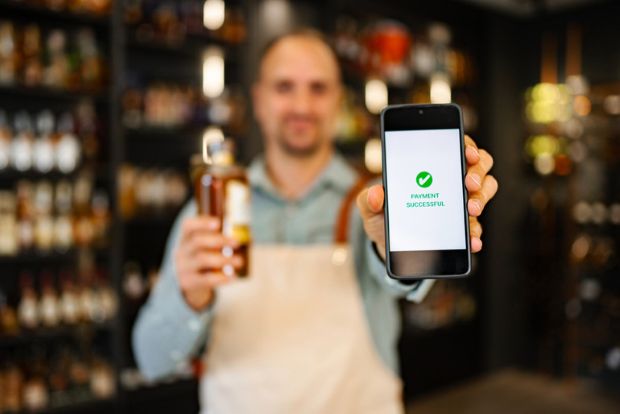
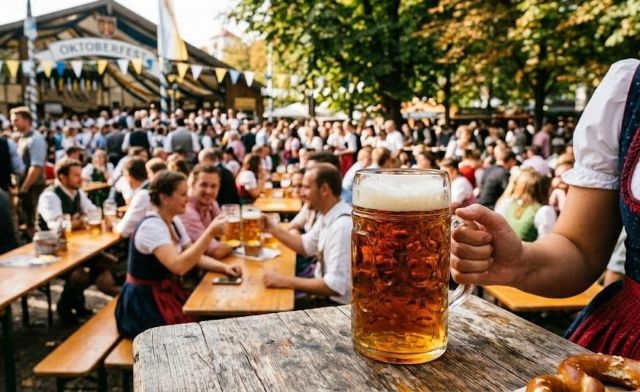
It’s 5:40 on a Friday. A line is six long at the register, and a regular asks whether the new Oktoberfest from the brewery two towns over has come in. Staff must ensure the checkout is kept moving and stock is checked, as well as provide information about upcoming releases of craft beers and ensure that popular craft beers are on hand before the weekend. But in the back cooler there’s a case of hazy IPA quietly going bad. The canning was done in July. Nobody noticed. You’ve seen that scene if you own a bottle shop or a liquor store with a hardcore beer wall. Most likely, you also are aware that it’s not a people issue. It’s an information issue.
That’s where the point of sale comes in. Not the terminal on the counter, but the system behind it, the one that’s supposed to know what you have, how fast it’s moving, and who’s buying it. Most stores run something that does one of those jobs well. Very few do all three.
Beer Is The Hardest Thing In Your Store To Manage
Spirits are patient. A bottle of bourbon can sit on a shelf for eight months, and nobody’s worse off. Wine, mostly the same. Beer doesn’t work that way. Hop-forward styles fade in weeks. Seasonals have a window set by the calendar, not the can (nobody wants pumpkin beer in December. Okay, almost nobody). And craft brands rotate constantly, so your SKU list is never really finished.
The market isn’t helping. The Brewers Association’s 2025 annual report put craft beer’s retail value at roughly $28 billion, down from the year before, with just 300 breweries opening against 481 closures. American Craft Beer’s look at the 2025 brewery closures covers the human side of that. For retailers, it means something practical: brands disappear, distributors trim portfolios, and the shelf you set in spring looks nothing like the one you need by fall.
The Three Clocks Framework
Here’s how I’d think about any POS decision for a store that moves a lot of beer. Every system is managing three clocks at once:
- The freshness clock – how long product has been sitting, and whether it’ll sell before it goes stale.
- The checkout clock – how long a customer stands in line, and what slows them down.
- The customer clock – how often someone comes back, and whether you can bring them back sooner.
The Freshness Clock
IHL Group, which has tracked retail inventory distortion for nearly two decades, estimates that internal inefficiencies cost retailers close to $500 billion in 2025, with supplier missteps adding more than $300 billion on top. A beer cooler manages to have both at once: the thing everyone asks for is gone, and the thing nobody wants is hogging three facings.
A few things worth checking in your current setup:
- Can you see received dates, not just quantities? Knowing you have 14 four-packs of a hazy means nothing if you don’t know they’ve been there since August.
- Does it handle pack breakdowns cleanly? Mix-a-six programs, singles from a broken case, a four-pack split into pairs. If staff ring these up under a generic “single beer” button, your counts are fiction.
- Can you pull sell-through by week and by style? Monthly is too slow for beer. By the time you see the number, the problem is already in the dumpster.
That’s the real test of a liquor store POS – not how many features fit on the spec sheet, but whether it can tell you on Tuesday morning which beers need to move by the weekend.
Systems built for alcohol retail, like SanteHQ, Bottle POS, mPower Beverage and Korona, generally treat case, pack and single as related units out of the box. General retail platforms like Square or Lightspeed can be made to work, but expect to build some of that logic yourself.
The Checkout Clock
Friday and Saturday evenings carry your margin. They’re also when the register is most likely to be the bottleneck. The slowdowns in a liquor store are specific. ID checks. Mixed six-packs scanned one can at a time. Bottle deposits, whether it’s California’s CRV or Michigan’s dime. Loyalty lookups by phone number. A card reader that decides to update itself at 6:15. Each one adds seconds, and with twelve people in line, seconds turn into customers walking out.
Try this next Friday: time ten transactions from first scan to receipt. Use your phone, don’t guess. If the average runs past 90 seconds for baskets under five items, something in the flow is broken. Usually it’s the software asking for steps a cashier shouldn’t have to take. When you look at alternatives, ask the vendor to ring up an age-verified mixed six with a deposit fee, start to finish. It’s the most liquor-store transaction there is, and it separates systems built for the category from ones that bolted on a “liquor” template. Whether you’re looking at SanteHQ, Korona, or anyone else, that single test tells you more than the sales deck.
The Customer Clock
Beer buyers often develop familiar routines. One customer stops by every Thursday to try the latest release from local breweries, while another couple chooses a special bottle each month. Staff may recognize these regulars by face, but a POS system with reliable purchase history can help track their preferences, identify popular styles, and make relevant recommendations without turning every visit into a sales pitch.
This is where liquor store marketing gets a lot more useful than another Instagram post. If your POS ties transactions to customer profiles, you can do things that actually move product:
- Text the 40 people who bought a brewery’s last release when the next one lands.
- Flag regulars who haven’t been in for 60 days.
- See who buys sours, and get the slow-moving gose in front of them before it ages out.
You don’t need enterprise software for any of this. Coruzant’s breakdown of CDP vs CRM is a solid primer on when bigger customer-data tools earn their place, and for a single store or a small group the honest answer is usually “not yet.” The customer profile inside your POS is your CRM. Use it before you buy anything else.
Plenty of vendors now promise AI forecasting that will “predict” your orders. Some of it helps. A lot of it is a sales line, and the debate over whether AI is coming for the brewing industry is a fair reminder that the tech is still finding its footing. A forecast is only as good as the transactions underneath it. If your pack breakdowns get rung up wrong, the AI is just guessing faster.
A 30-Day Audit Before You Switch Anything
Swapping a POS is disruptive. Before you sign anything, spend a month finding out where your current one actually fails.
- Week one: pull your dead stock. Every beer SKU that hasn’t sold in 30 days. Add up the dollars. That’s your freshness baseline.
- Week two: time your checkout. The Friday test above, plus Saturday afternoon. Write down every manual step.
- Week three: count your reachable customers. How many regulars do you have a phone number or email for, linked to what they buy? If it’s zero, that’s your biggest gap.
- Week four: demo with your own data. Bring your real SKU list and your worst transaction type to every vendor, whether that’s SanteHQ, Bottle POS, Korona, or someone else. Make them run it live.
You’ll finish knowing which clock costs you the most. Fix that one first.
What Matters Less Than Vendors Say
Sleek hardware. Integrations you’ll never touch. Dashboards with 30 charts. None of it sells one extra six-pack. What matters is boring: accurate counts, fast and correct rings, and knowing your margin by category. Breweries hit the same wall. American Craft Beer’s piece on the financial blind spots that sink good breweries argues that knowing which channel actually makes money matters more than total revenue. Your shelves work the same way.
Choose Smarter, Keep Your Beer Inventory Fresh
The modern liquor store POS isn’t really about the register. It’s about keeping three clocks in view: how long product sits, how long customers wait, and how long it’s been since a regular came back. Get those right, and the rest of the store tends to follow.
Start with an audit and identify the biggest drain on your time or money. Choose a POS system that solves that specific problem instead of paying for an overloaded feature list. Then check the date on that hazy IPA in the back cooler, because accurate stock rotation and freshness tracking matter just as much as efficient checkout when managing a craft beer selection.
About the Author: Beer Blog